Owning a WordPress website is responsible for keeping it secure, functional, and up-to-date. Neglecting routine maintenance can quickly turn a high-performing website into a slow, vulnerable, or even non-functional site. As such, here’s a comprehensive website maintenance audit checklist for WordPress site owners to keep their websites running smoothly.
What is a WordPress Maintenance Audit?
A WordPress maintenance audit comprehensively reviews a WordPress website’s health, performance, security, and functionality. The goal is to identify any potential issues that might affect the site’s stability, user experience, or search engine rankings.
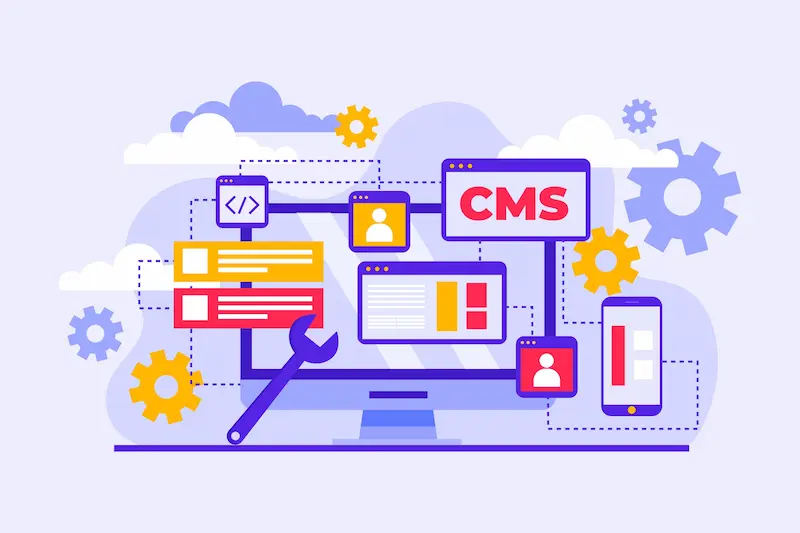
It includes a structured assessment of various elements, from software updates to database optimization, ensuring that the site remains secure, fast, and reliable.
Read More: WordPress Maintenance Tips
Why a Regular Maintenance Audit is Crucial for WordPress Site Owners?
Regular WordPress maintenance is critical for any site owner who wants to keep their website secure, fast, and user-friendly.
Regular WordPress maintenance tasks, such as updates, backups, and security checks, can protect your WordPress site from potential vulnerabilities. They can also enhance performance and improve SEO rankings.
Below are the key reasons every WordPress website owner should consider a structured maintenance routine. Or think about investing in professional WordPress maintenance services.
Site Security
A well-maintained WordPress website is less likely to be affected by security threats. Hackers often exploit vulnerabilities in outdated themes, plugins, or WordPress core.
Regular maintenance should include security monitoring, malware scans, and reviewing WordPress security logs to detect any suspicious activity. Many site owners also use tools like a WP maintenance mode plugin to restrict access while performing updates to improve security temporarily.
Optimal Performance
Site performance directly impacts user experience and search engine rankings. Regular WordPress maintenance tasks, like optimizing the WordPress database, removing spam comments, fixing broken links, and modifying functionality as needed, can make a significant difference.
Tools like WP Rocket can help with database optimization and ensure the website loads faster for users and search engines. Monitoring site performance with website analytics, Google Analytics, or a maintenance checklist can help to address slowdowns proactively.
Keep Your WordPress Site Secure and Optimized
Let WPTasks handle your website maintenance so you can focus on growing your business.
Longevity and Reliability
A well-maintained website is more reliable and less likely to experience downtime or issues that could drive away visitors. WordPress maintenance services can include uptime monitoring and performing regular maintenance tasks, such as theme and plugin updates, to ensure reliability.
For client sites or e-commerce platforms, WordPress maintenance mode is helpful to avoid interruptions during scheduled maintenance. A reliable hosting provider and a consistent backup solution are also crucial to ensure data integrity and restore points in case of any unexpected issues.
Discover: The Ultimate WordPress Maintenance Checklist
SEO and User Experience
Site speed and a seamless user experience are vital for SEO. Regular maintenance tasks like updating WordPress core, deleting poorly formatted links, improving site performance, and addressing incomplete or broken layouts can help maintain high search engine rankings.
Performing regular audits and using a WordPress website maintenance checklist ensures no aspect of SEO or user experience is neglected, contributing to better visitor satisfaction and improved visibility in search engines.
Custom Maintenance Needs
Each WordPress site has unique maintenance needs. Some may require custom maintenance tasks to address specific functionalities. This includes integrating external websites, modifying existing functionality, or setting up a maintenance page during updates.
Engaging with WordPress security experts or a paid service for custom development or specialized maintenance can add value, particularly for larger or more complex sites.
Learn More: Why Invest in WordPress Maintenance and Support for Your Website: Top Benefits
Essential WordPress Maintenance Audit Checklist

A WordPress maintenance audit helps keep your WordPress site secure, fast, and well-optimized, and that users have a positive experience. Here is a checklist of key maintenance tasks to perform during a WordPress maintenance audit:
Security and Performance Checks
Protecting your website from security threats and optimizing performance are essential components of maintenance:
- Security Scans: Regularly scan your site for malware and vulnerabilities. Plugins like Wordfence automate security monitoring, perform malware scans, and assist in malware removal. Reviewing WordPress security logs regularly helps site owners detect suspicious activities that may impact their site’s security.
- Performance Monitoring: Tools like Google PageSpeed Insights can help you monitor and analyze your site’s performance. Site owners can use these tools to check loading times, identify slow-loading elements, and improve site performance.
- Optimization Tips: Boosting site performance includes several maintenance tasks, such as optimizing images, minifying CSS and JavaScript files, and implementing caching strategies (with tools like WP Rocket). Additionally, periodic database optimization and removing outdated or poorly formatted links contribute to faster loading speeds and improved user experience.
- Enable Maintenance Mode: When performing updates to the WordPress core, plugins, or themes, using a maintenance mode plugin or enabling maintenance mode temporarily can prevent user disruption.
Read More: WordPress Maintenance vs Technical Support: What’s the Difference
Content Review and Cleanup
Keeping your content relevant and error-free contributes to a better user experience and SEO:
- Content Review: Periodically review and update posts and pages, removing outdated or irrelevant content. Optimize existing content with current keywords and ensure each page aligns with your SEO strategy.
- Broken Links: Broken links negatively impact SEO and user experience. Use plugins like Broken Link Checker to scan for broken links and repair or remove them. Monitor external websites you link to, as they may change over time.
- Delete Spam Comments: Regularly delete spam comments to keep your site clean and improve database performance. Over time, spam comments can bloat the WordPress database, slowing the website.
- User Permissions: Review permissions to ensure only authorized users can access sensitive areas of the WordPress website. This helps protect against unauthorized access that compromises site security.
- Analytics Tracking: Use Google Analytics to monitor website traffic, user behavior, and conversion rates. Regularly reviewing website analytics provides insights into how visitors interact with your content, which can inform site functionality, content, or design modifications for improved site performance.
Learn More: Best Practices for Collaborating with WordPress Support: Effective Tips and Strategies
WordPress Maintenance Audit Services

For those who prefer a hands-off approach, hiring a WordPress maintenance service can be a wise investment:
- Tasks Covered: Professional services handle backups, updates, caching, security scans, database optimization, and accessibility audits.
- Look for Customized Plans: Opt for services that offer customized packages, expert support, and regular reporting to match your website’s needs.
Learn More: Why Digital Agencies Should Have a WordPress Maintenance Partner: The Ultimate Guide
Best Practices for WordPress Maintenance Audit
To ensure that your WordPress site remains secure, performs optimally, and provides a seamless user experience, consider these best practices as part of your regular WordPress maintenance audit. Following a WordPress website maintenance checklist can help site owners perform essential maintenance tasks that safeguard both functionality and SEO rankings.
Regularly Review Security Logs
To ensure the ongoing security of your WordPress site, regularly reviewing security logs is essential for identifying potential threats and addressing vulnerabilities before they cause harm.
- Security Logs Monitoring: Reviewing WordPress security logs regularly is a crucial part of security monitoring. This practice helps you identify any unauthorized access attempts, malware, or suspicious activities that may compromise your website security. Many WordPress security plugins, such as Wordfence, provide automated logging and notifications for potential threats.
- Malware Scans: Integrate automated malware scans into your maintenance tasks to catch threats early. When caught promptly, malware removal is more straightforward and can prevent security issues from affecting user experience.
Use Strong Passwords and Enable Two-Factor Authentication (2FA)
Securing your WordPress site begins with strong access controls, such as using complex passwords and two-factor authentication, to minimize unauthorized access risks.
- Secure Admin Access: Protecting your site’s WordPress core and backend with strong passwords and enabling two-factor authentication (2FA) greatly reduces the risk of unauthorized access. Security plugins often offer options for 2FA setup.
- Limit User Permissions: Only authorized users should have access to sensitive areas of your WordPress website. Periodically review and adjust permissions for all users with elevated access.
Read More: How to Automate WordPress Maintenance and Reduce Your Workload
Keep WordPress Updated
Staying up-to-date with WordPress core, plugins, and themes is a crucial maintenance step. This ensures your site benefits from the latest security patches and performance improvements.
- Regular Updates for WordPress Core, Plugins, and Themes: Updating WordPress software, including the WordPress core, plugins, and themes, is a fundamental maintenance task. Frequent updates leverage the latest security patches and features to reduce vulnerabilities and improve site performance.
- Enable Maintenance Mode for Safe Updates: When performing updates, consider enabling maintenance mode with a WP maintenance mode plugin to restrict user access and avoid incomplete or broken layouts temporarily.
Database Optimization
Optimizing your database regularly can significantly enhance your site’s performance by reducing unnecessary data, while maintaining consistent backups and safeguards against data loss.
- Database Cleanup: Regular database optimization improves site performance by removing unnecessary data, such as spam comments, post revisions, and other outdated files. Plugins like WP-Optimize automate this task, helping keep the WordPress database lean and efficient.
- Backup Solution: Ensure a reliable backup plugin is in place to automatically back up database files and the entire site before major updates. Regular backups prevent data loss and make it easier to restore the site in case of issues.
Discover: 5 Essential WordPress Tasks You Should Never DIY for a Smooth-Running Site
Monitor Site Performance and SEO Rankings
Optimizing your database regularly can significantly enhance your site’s performance by reducing unnecessary data, while maintaining consistent backups, which safeguard against data loss.
- Website Analytics: Tools like Google Analytics provide insight into site traffic and user behavior, which can inform performance improvements. Regularly reviewing website analytics helps identify areas for optimization.
- SEO Audits and Link Maintenance: SEO rankings benefit from regular audits and link maintenance. Address broken links and poorly formatted links, and optimize on-page content for keywords. Use plugins like Broken Link Checker to monitor for dead or external links that might impact SEO.
Conduct Monthly Uptime Monitoring and Performance Checks
Consistent uptime and optimal performance are critical for a successful WordPress site, making monthly monitoring essential for quickly addressing downtime or speed issues.
- Uptime Monitoring: Using tools like Pingdom can help monitor uptime and alert you of downtime, allowing quick responses to hosting issues or plugin conflicts.
- Optimize Site’s Performance: Regularly optimize your site’s performance using caching solutions like WP Rocket, minifying CSS and JavaScript files, and image compression. Improved loading speeds enhance user experience and contribute to better search engine rankings.
Custom Maintenance and Development as Needed
Custom maintenance allows for tailored adjustments to your site’s functionality. Thereby, ensuring it meets both general security standards and any unique requirements.
- Modify Existing Functionality Carefully: When modifying functionality or adding custom development features, consult WordPress security experts to ensure compatibility with your current setup.
- Custom Maintenance Plans for Client Sites: If managing client sites, consider offering custom maintenance services tailored to their needs, including database optimization, performance checks, and regular security monitoring.
Use a Reputable WordPress Maintenance Service
If managing specific maintenance tasks is challenging, a reputable WordPress maintenance service can provide support and expertise to ensure your site remains secure, updated, and backed up.
- Consider Professional Help: If specific maintenance tasks are outside your expertise, it’s worth using a paid service. Many reputable WordPress maintenance services offer updates, security, and backup management support.
- Managed Hosting Options: Some WordPress hosting providers offer regular maintenance and support. This can include automated backups, uptime monitoring, and dedicated security.
Maintain a Detailed WordPress Website Maintenance Audit Checklist
Using a comprehensive maintenance checklist ensures that no essential tasks are overlooked. This helps you keep the site secure, updated, and running smoothly.
- Create a Checklist of Important Maintenance Tasks: Organize a maintenance checklist that includes plugin updates, site maintenance tasks, and database cleanup. This helps streamline monthly tasks and ensures that nothing critical is overlooked.
- Schedule Regular Reviews: Monthly tasks like updating themes, enabling maintenance mode during updates, and monitoring uptime keep the site running optimally. A checklist ensures consistent upkeep and helps catch issues early.
Related: Top 5 Must-Have Features in a WordPress Support Plan
Conclusion
Maintaining a WordPress website is critical for its security, functionality, and overall health. By following this maintenance checklist, you can ensure your website remains fast, secure, and reliable. Thus, giving your visitors the best possible experience while protecting your investment in the long term. Regular maintenance supports optimal performance and keeps your site competitive and resilient in a constantly changing digital landscape.
FAQs About WordPress Website Maintenance Audit
What is included in a WordPress website audit?
A WordPress website audit covers essential website maintenance tasks such as checking installed plugins, updating WordPress themes, reviewing WordPress settings, testing contact forms, analyzing site structure, and performing a security audit to detect vulnerabilities. It also includes speed optimization, monitoring the website’s loading speed, and ensuring site health for both desktop and mobile devices.
How often should I perform a WordPress site audit?
Experts recommend conducting a basic audit monthly and a complete website audit at least quarterly. Frequent checks help identify plugins, outdated themes, and security risks early. Scheduling automatic backups and regular reviews of user accounts and security logs ensures long-term site reliability.
How does a WordPress maintenance audit improve website performance and SEO?
A well-planned audit identifies issues such as slow-loading websites, poor mobile responsiveness, and broken web pages. Addressing these improves the site’s SEO health, enhances user experience, and boosts search rankings. Tasks like database optimization, updating plugins, and using a content delivery network further improve performance.
Do I need managed WordPress hosting for better maintenance?
Managed WordPress hosting simplifies website maintenance tasks by offering automatic backups, premium plugins, built-in security checks, and professional WordPress support. This reduces the likelihood of security breaches and downtime while consistently protecting your WordPress files and cloud storage services.
What happens if I skip a WordPress audit?
Ignoring website audits increases the risk of security breaches, outdated plugins, broken contact forms, and poor site health. This can lead to data loss, reduced trust, slow loading websites, and a decline in your site’s SEO health. Regular audits safeguard your investment and improve the longevity of your WordPress site.