WooCommerce stores need regular care to stay fast, secure, and reliable. WooCommerce maintenance covers updates, backups, performance checks, and fixes that keep your store running without interruptions. When these tasks are ignored, small issues can turn into lost sales and unhappy customers.
Understanding site maintenance costs helps you plan more effectively and avoid unexpected expenses. This guide explains what goes into WooCommerce site care, what you can expect to pay, and how to budget to support steady growth rather than last-minute fixes.
TL;DR: WooCommerce Maintenance Costs Explained
- WooCommerce maintenance keeps your store fast, secure, and stable.
- Regular updates and security checks prevent downtime and data risks.
- Maintenance costs depend on store size, traffic, plugins, and hosting.
- Planning a monthly budget helps avoid surprise expenses.
- Ongoing support is often cheaper than fixing emergency issues later.
Importance of Regular Website Maintenance for E-commerce Success
Regular maintenance keeps your WooCommerce store fast, secure, and reliable. When your site loads quickly, customers stay longer and are more likely to buy. Search engines also favor well-maintained sites, which helps improve rankings. Updates fix security gaps and protect customer data, building trust with every visit.
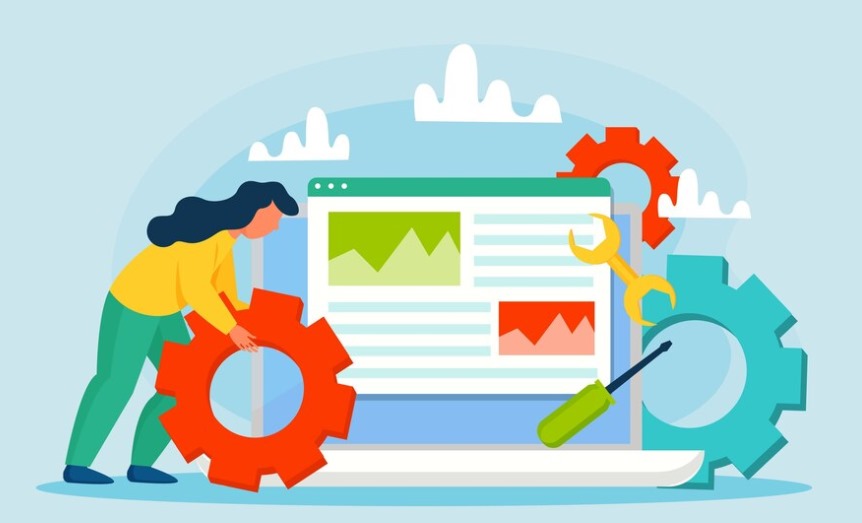
Staying updated on plugins, themes, SSL renewals, and backups prevents downtime and lost sales. Ongoing maintenance also helps you fix bugs and payment or shipping issues quickly. With regular care, your store stays stable, ready to grow, and easier to manage day to day.
Learn More: WordPress Maintenance Tips
How WPTasks Simplifies WooCommerce Maintenance?
WooCommerce maintenance often becomes expensive when fixes, updates, and support are handled separately. Small tasks add up fast and make budgeting difficult. WPTasks helps bring order and predictability to ongoing maintenance.
WPTasks offers subscription-based WordPress development support through monthly development hour retainers. These hours cover WooCommerce fixes, updates, regular website maintenance, and hosting support. Agencies use WPTasks as a white-label service, allowing them to deliver reliable WooCommerce maintenance under their own brand while keeping costs predictable.
Go Through: Essential WordPress Security Hardening Techniques to Protect Your Site
Simplify WooCommerce Maintenance with Expert Help!
Let us handle it for you with our expert website maintenance services. Focus on growing your store while we ensure peak performance.
Factors Affecting WooCommerce Maintenance Costs
When it comes to WooCommerce maintenance costs, several key factors influence how much you’ll need to budget. Understanding these elements can help you prioritize tasks and manage your expenses effectively.
Website Traffic and Size
Think about how much traffic your e-commerce store gets and how big your site is. Larger websites with dozens (or even hundreds) of product pages naturally require more time and resources to maintain. If your WooCommerce site handles high traffic, you’ll need to invest in robust hosting services and monitoring tools to ensure your site can handle the load.
Type of Website and Customization
The complexity of your WooCommerce store plays a huge role in determining maintenance costs. For example, a simple shop with minimal customizations may only require basic maintenance services.
On the other hand, if your store has custom features, advanced integrations like email marketing tools, or unique functionalities like flat rate shipping or dynamic pricing, it will demand more ongoing attention.
Additionally, corporate websites or larger e-commerce platforms typically involve greater maintenance fees than small businesses or personal sites due to their broader scope.
Frequency of Updates and Maintenance Tasks
Both WordPress websites and WooCommerce sites rely heavily on plugins and themes. The more plugins you use, the more frequent updates will be required to maintain compatibility and security. If you rely on free plugins, these may not offer the same level of support or stability as premium options, which can add to the cost of addressing issues down the line.
Hosting Provider and Server Quality
Your hosting provider directly affects your monthly costs and the performance of your site. Basic shared hosting may be cheaper, but it may not provide the speed, scalability, or strong security measures your store needs as it grows. Upgrading to managed hosting or a higher-tier hosting service can offer better uptime, faster load times, and advanced features like automatic backups—but these improvements come at a price.
Payment Gateways and Integrations
If your store uses multiple shipping and payment gateways, like PayPal or Stripe, these integrations need to be tested and updated regularly to ensure they function properly. Errors here can disrupt your ability to securely accept payments online and impact customer satisfaction. Maintaining these critical features is a necessary part of your budget.
Check Out: WordPress Maintenance vs Technical Support
Key Elements of WooCommerce Maintenance
Here’s a closer look at each factor that plays a crucial role in maintaining the health and performance of your WooCommerce store.
- Hosting Costs: Reliable hosting is crucial for the consistent performance of your WooCommerce store. The right hosting ensures minimal downtime, fast page loading, and the ability to handle traffic spikes.
- SSL Certificates: SSL certificates are vital for encrypting customer data and ensuring secure online transactions. Having SSL certificates also helps build trust and improves SEO rankings.
- Plugin and Theme Updates: Regular plugin and theme updates are essential for keeping your store secure and running smoothly. Outdated plugins or themes can lead to compatibility issues or expose your website to risks.
- Performance Optimization: Optimizing the performance of your WooCommerce store involves improving its speed, ensuring it loads quickly for a better user experience, and enhancing server response times. A faster website leads to higher customer satisfaction, better conversion rates, and improved SEO performance.
- Website Backups: Regular backups ensure that your website can be restored quickly in case of a failure, whether from a server crash, a hacking attempt, or accidental data loss. Backing up your website also gives you peace of mind, knowing that you can recover your data with minimal disruption to your business.
- SEO Maintenance: SEO maintenance involves continuously updating your content, improving keyword targeting, and making sure your website stays relevant to your audience and search engines. Regular SEO updates help maintain steady organic traffic, improve search rankings, and drive more potential customers to your store.
Know: Why Invest in WordPress Maintenance and Support for Your Business
Breakdown of WooCommerce Maintenance Costs
Understanding the different components of WooCommerce maintenance costs is key to budgeting effectively for your online store.
Hosting and Domain Costs
Hosting and domain costs are essential to the functioning of your WooCommerce store. Reliable hosting can range from $5 to $100 per month, depending on factors like server performance, traffic volume, and support.
Domain renewal typically costs between $10 to $20 annually. High-quality hosting ensures that your store is fast, secure, and able to handle increased traffic.
Paid Plugins and Themes
Premium WooCommerce plugins and themes are usually priced between $30 to $100 per plugin, per year. Some advanced plugins may require a one-time purchase, but others offer subscription models for updates and support. These costs add up but are essential for adding functionality and enhancing the user experience of your store.
Developer Support
Hiring developers for ongoing technical issues or updates varies in cost. Freelancers may charge between $30 to $150 per hour, while agencies could offer a retainer model with a monthly fee starting around $500 to $2,000 depending on the complexity of the work.
Security Measures
Securing your WooCommerce store is vital, and this comes with a cost. SSL certificates, which protect customer transactions, can range from $50 to $200 annually. Firewalls and malware scanning tools may cost anywhere from $100 to $500 annually, depending on the level of protection you need.
Marketing and SEO Tools
Marketing and SEO tools are necessary to ensure your store maintains visibility and attracts customers. Monthly costs for tools like SEMrush, Moz, or Ahrefs can range from $100 to $500 per month. These tools help with keyword tracking, backlink analysis, and improving your site’s search engine rankings, ultimately increasing organic traffic and sales.
Also Read: WordPress Site Health Check: Steps for Monitoring and Maintaining Website Performance
How to Budget Effectively for WooCommerce Maintenance
Here’s how you can budget effectively for your WooCommerce store’s maintenance, ensuring you cover all the essential elements without overextending your finances.
Assess Your Specific Business Needs and Traffic Demands
Before budgeting for maintenance, take a close look at your store’s specific needs. Understand how much traffic you’re getting, the complexity of your products, and the overall size of your online store. This will help you figure out what kind of resources, such as server space and maintenance tasks, you need to keep things running smoothly.
Set Aside a Percentage of Revenue for Regular Maintenance Costs
To keep your store in tip-top shape, it’s important to plan for regular maintenance. Set aside a portion of your earnings, such as 5-10%, to cover the costs. This will ensure you can keep your site updated, secure, and optimized without dipping into emergency funds.
Opt for Scalable Hosting and Tools
Choose hosting services and tools that can grow with your business. As your store gains more customers, your hosting plan and tools should be able to accommodate the increase in traffic and demands. This way, you won’t need to keep switching services, and you’ll avoid any costly disruptions.
Utilize Free or Open-Source Plugins for Non-Critical Features
You can save money by using free plugins or open-source solutions for features that don’t require premium tools. For example, basic SEO or social media integration can often be achieved with free plugins.
Monitor Costs Regularly and Adjust the Budget as Needed
It’s important to keep an eye on your maintenance expenses. Regularly check if your current spending is in line with your goals. As your business grows or your needs change, adjust your budget accordingly, making sure to allocate funds to the areas that need attention and cutting back on others where possible.
Explore: The Ultimate WordPress Maintenance Checklist
Tips to Minimize Website Maintenance Costs
If you’re looking to keep your WooCommerce maintenance costs under control, here are some practical tips to help you reduce unnecessary expenses while ensuring your site remains secure and optimized
Use Essential Plugins Only to Avoid Bloated Expenses
Not all plugins are necessary for every WooCommerce store. Stick to essential plugins that offer real value and avoid using too many, as excessive plugins can slow down your site and increase maintenance costs. Focus on performance-enhancing tools, and be selective to keep things efficient and cost-effective.
Schedule Periodic Maintenance to Avoid Costly Emergencies
By scheduling regular maintenance checks, you can catch issues early before they turn into major problems. This proactive approach helps prevent costly repairs or emergency fixes. Regular maintenance ensures everything works smoothly and extends the life of your store, saving you from unexpected downtime and expensive repairs.
Outsource to WooCommerce Professionals for Cost-Effective Solutions
Hiring a professional with specific WooCommerce expertise can often save you money in the long run. Instead of spending time and resources troubleshooting or fixing complex issues in-house, outsourcing to professionals can get the job done efficiently, helping you avoid unnecessary expenses related to mistakes or poor-quality solutions.
Invest in an All-in-One Managed Hosting Service
Choosing a managed hosting provider that includes services like automatic backups, regular updates, and built-in security measures can save you time and money. Instead of juggling multiple service providers, an all-in-one solution covers essential maintenance needs, helping you streamline processes.
Uncover: Why Digital Agencies Should Have a WordPress Maintenance Partner
Benefits of Professional WooCommerce Maintenance Services
If you want to ensure your WooCommerce store operates at its best, professional maintenance services can be a game-changer. Here’s why investing in expert WooCommerce maintenance services is beneficial for your e-commerce business:
- Expert Handling of Updates and Troubleshooting: Professional WooCommerce developers ensure timely updates, bug fixes, and technical support, keeping your site running smoothly without any hassle. This saves time and reduces stress for store owners.
- Optimal Performance and User Experience: Regular updates, including theme and plugin updates, ensure your site functions seamlessly. Whether it’s optimizing performance for better load times or ensuring SSL certificates are renewed, experts maintain your store for peak performance.
- Reduced Downtime and Enhanced Security: Proactive monitoring and maintenance services help reduce the risk of security breaches or downtime, which can negatively impact customer satisfaction and conversion rates.
- Seamless Integration of Advanced Features: Professional maintenance services ensure custom features, such as payment gateways and shipping and payment gateways, are smoothly integrated into your WooCommerce store, offering a better shopping experience for your customers.
- Minimize Vulnerabilities: Security plugins, automatic backups, and security patches protect your e-commerce site from potential threats, ensuring you can securely accept payments online and protect sensitive customer data.
- Consistent Support: With priority support from experts, you can quickly resolve any issues, allowing you to focus on growing your business.
- Cost-Effective, Long-Term Solutions: When compared to dealing with maintenance costs on your own or handling security vulnerabilities, a professional maintenance plan often saves you money in the long run by preventing costly repairs.
Learn About: Signs Your Client Needs More Frequent Website Maintenance Checks
Summary
WooCommerce maintenance is not a one-time task. It is an ongoing cost that protects your store, your customers, and your revenue. Regular updates, security checks, backups, and performance improvements help your store stay fast, stable, and secure.
When you understand what goes into WooCommerce maintenance, budgeting becomes easier. A clear plan helps you avoid surprise expenses and costly downtime. With the right support and consistent maintenance, your store stays ready to grow without constant stress.
FAQs About WooCommerce Maintenance Costs
What is included in WooCommerce maintenance?
WooCommerce maintenance includes plugin and theme updates, security checks, backups, performance monitoring, and fixing bugs or conflicts. It also covers payment and shipping integration support.
How much does WooCommerce maintenance usually cost?
Costs vary based on store size, traffic, plugins, and hosting. Small stores often spend less, while larger or custom stores need higher maintenance budgets for ongoing support.
Why is regular WooCommerce maintenance important?
Regular maintenance keeps your store secure, fast, and reliable. It helps prevent downtime, protects customer data, and supports better user experience and search rankings.
Can I handle WooCommerce maintenance on my own?
You can manage basic tasks, but ongoing updates and security require time and technical knowledge. Professional support helps avoid mistakes that can break your store.
How often should WooCommerce maintenance be done?
Maintenance should happen regularly. Updates and security checks are usually weekly, while backups and performance checks should run continuously.
How can I reduce WooCommerce maintenance costs?
You reduce costs by using reliable hosting, limiting unnecessary plugins, scheduling regular maintenance, and using a fixed monthly support plan instead of paying for emergency fixes.