When you start customizing your WordPress site, it’s easy to feel overwhelmed by coding and technical steps. No-code tools change that by giving you simple ways to shape your site without touching a single line of code, meaning you can customize your website without writing code or editing code directly.
You can adjust layouts, redesign sections, and add new features with quick drag-and-drop actions. You can also adjust design features such as headers, overlays, and spacing to enhance your site’s appearance.
These tools also give you more control over how your site looks and feels. You get a cleaner design, a better user experience, and a setup that fits your brand without needing a developer every time you want something updated.
Understanding No Code Solutions for WordPress
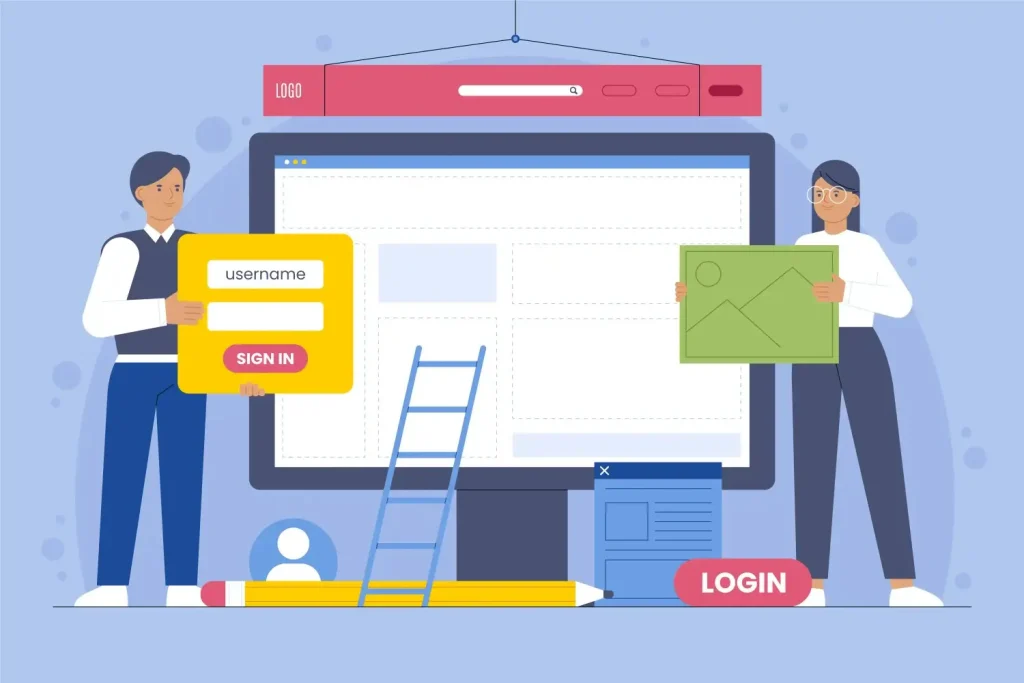
No-code tools eliminate the need for coding, enabling anyone to customize their WordPress site easily. These tools offer powerful features to build and modify websites without technical skills.
Plugins like SeedProd and MonsterInsights demonstrate how no-code solutions add robust functionality, allowing users to focus on creativity. Tools like the block editor and site editor provide a visual, user-friendly way to customize your site’s structure, layout, and design.
Tools such as Kubio and SeedProd enhance site appearance and functionality with diverse customization options, improving user experience without impacting SEO. No-code solutions put creative control in your hands, giving you complete control over your site’s layout and design.
Using Themes and Plugins to Customize Your WordPress Site
Themes and plugins make WordPress customization simple and code-free. Different themes and popular themes offer a variety of design features and customization options for your site’s structure and appearance. WordPress themes are the foundation for your site’s look and feel. They open up design choices, add useful features, and help shape a site that matches your goals.
This setup also keeps maintenance easy, since most updates roll out automatically and work smoothly without technical work.
Pick a Theme That Fits Your Style and Goals
Choosing the right theme sets the tone for your entire site. A fast theme like GeneratePress creates a clean, lightweight base. For more visual control, Divi offers a full design system with child themes that keep custom edits safe during updates.
A strong theme also improves load time, SEO, and overall user experience, which helps visitors stay longer and interact more with your content.
Use Plugins to Add Features Without Coding
Plugins expand your site’s features in minutes. Third party plugins and builder plugins, such as Elementor, Beaver Builder, and Divi, offer advanced design features, drag-and-drop functionality, and extensive customization options beyond the default WordPress capabilities.
The Divi Visual Editor makes it easy to design headers, menus, and page layouts without touching code. WPForms helps build forms for leads, payments, and feedback with a simple drag-and-drop builder.
The right plugin stack strengthens engagement, reduces manual tasks, and supports long-term growth without adding technical complexity.
Page Builders: Drag-and-Drop Interfaces
Drag-and-drop page builders in WordPress have transformed custom layouts and design creation, allowing site customization without coding knowledge. These builders feature intuitive interfaces for visually rearranging page elements, greatly enhancing customization.
Most page builders incorporate responsive design to ensure your site looks great on all devices. Tools like SeedProd and Elementor offer a vast library of pre-built elements and templates, simplifying page assembly.
With a drag-and-drop builder, you can quickly create a professional-looking site, enhancing productivity and creativity in web design. These builders save time and offer extensive customization options, allowing you to edit individual elements and page content for a truly custom look.
Elementor: A Comprehensive Guide
Elementor, a popular page builder plugin for WordPress, empowers users to create custom layouts and visually striking pages. Whether using pre-built templates or starting from scratch, Elementor’s drag-and-drop interface ensures a seamless and enjoyable design process.
You can add blocks to build out your pages or even create a custom single page layout. It allows page customization without coding, enabling users to focus on creativity and functionality.
Elementor offers extensive widget options and design tools, enabling the effortless addition of various elements to pages; advanced users can also add code for further customization. Its user-friendly interface helps transform your site into a visually appealing and highly functional platform tailored to your specific needs.
Beaver Builder: User-Friendly Customization
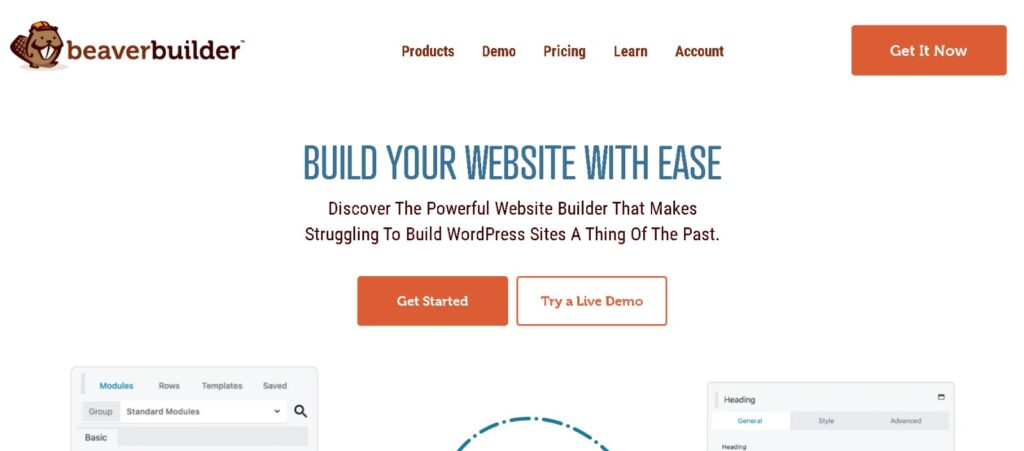
Beaver Builder is another excellent page builder featuring a live drag-and-drop interface that allows instant visual feedback on page changes. It also offers a live preview feature, letting you see real-time changes to your website’s appearance, including how it looks on mobile devices, before publishing.
Compatible with any WordPress theme, Beaver Builder offers design and customization flexibility. Its user-friendly interface and multiple modules simplify creating custom layouts, even for those without technical expertise.
Beaver Builder allows you to create functional sites with just a few clicks, significantly enhancing productivity in site design. Its extensive customization options and pre-designed templates ensure your site meets both aesthetic and functional requirements, helping you create an awesome website with ease.
Customizing Content with Block Editors
Block editors have revolutionized content creation and organization in WordPress, offering an intuitive way to build unique designs by combining various elements. Block themes and the WordPress Customizer work together to let you visually style different elements of your site, making it easy to adjust layouts, colors, and typography across your entire website.
The visual representation of content layout in block editors simplifies page design without coding, making them ideal for enhancing the content creation process.
Block editors offer extensive customization options, ensuring that your content is presented in a visually appealing and coherent manner. Their flexibility and ease of use make them essential tools for WordPress users.
Getting Started with Gutenberg Blocks
Gutenberg Blocks are a powerful tool for building pages in WordPress. They allow users to create unique designs by combining various content elements. To add a block, click the Block Inserter icon and drag the desired block onto the page.
Each block has its own settings and toolbar, simplifying element customization to fit your design preferences. You can use the site editor to make global changes across your website, or edit the theme’s files directly for advanced customization, such as updating the header image.
Gutenberg Blocks’ flexibility enables users to create complex layouts and unique designs within the editor. This functionality provides a robust platform for content creation, allowing you to build visually appealing and highly functional pages without coding skills.
Advanced Customization with Reusable Blocks
Gutenberg blocks provide various layout and design options, offering a flexible way to build and customize content on WordPress. To create reusable blocks, select a block, click on the options menu, and choose ‘Add to Reusable Blocks’.
You can directly edit reusable blocks and other elements for consistency, or make changes in your theme files for site-wide updates. This feature ensures consistent design across multiple pages, promoting a unified look and feel for your site.
Managing reusable blocks involves editing and updating them from the ‘Reusable Blocks’ option in your block library, ensuring universal changes. This advanced customization capability enhances productivity and consistency in site design, making it easier to maintain a professional appearance.
Enhancing Functionality with No Code Plugins
No-code WordPress plugins offer cost-effective solutions by reducing the need for professional web development services. These plugins enable quick feature implementation, allowing faster website launches.
With no-code plugins, you can easily customize navigation menus, add search bars, and update your site identity, all without any coding knowledge. With no-code plugins, you can add complex features to your site without any coding knowledge, significantly enhancing its functionality.
Plugins like Advanced Custom Fields (ACF) simplify adding fields without PHP, while MonsterInsights provides valuable insights by tracking site data. These tools empower users to create highly functional and interactive websites without any coding.
WPForms: Creating Interactive Forms
WPForms, a no-code form builder plugin, allows users to create interactive forms easily. The drag-and-drop form builder simplifies form creation, making it accessible to all skill levels. With over 1,800 templates, you can quickly create forms tailored to various needs.
The plugin also offers a detailed overview of transactions through a payments summary, making it an excellent tool for managing payments and client interactions. Using WPForms, you can enhance user interaction and gather valuable information without technical expertise.
WooCommerce: Building an Online Store
WooCommerce is a powerful tool for turning a WordPress site into an online store. It supports both physical and digital product sales. WooCommerce is free to start, but advanced features require payment for add-ons. This provides flexibility to build a robust online store tailored to your needs.
Operating the WooCommerce plugin requires no technical knowledge, making it accessible to all WordPress users. Its ecosystem supports product page enhancements, shipping customization, and inventory management, ensuring your online store operates smoothly and efficiently.
Easy Digital Downloads: Selling Digital Products
Easy Digital Downloads (EDD) is a plugin focused on selling digital products, providing a straightforward solution for online stores. EDD integrates with payment gateways like PayPal, Stripe, and Amazon Payments, making transactions seamless and secure. The plugin also offers built-in reporting features to track earnings and download statistics.
EDD offers add-ons to extend capabilities and enhance the user experience. With EDD, you can efficiently manage digital product sales and drive growth through built-in discount code functionality.
How to Improve Your WordPress SEO Using No-Code Tools

Optimizing your WordPress site for search engines is vital for increasing visibility and attracting more visitors. No-code SEO tools offer user-friendly interfaces, enabling individuals with little to no coding knowledge to optimize their websites effectively.
You can access these tools directly from the WordPress dashboard to optimize your site title, which appears in browser tabs and search results, helping improve branding and SEO performance. These tools perform comprehensive SEO analysis, providing suggestions and insights to enhance website optimization without any coding.
Plugins like AIOSEO and Rank Math streamline the SEO process by guiding you through best practices for keywords, readability, and metadata. Using these plugins, you can improve your site’s on-page SEO analysis, driving organic search traffic and boosting your page rank.
All in One SEO: Simplifying SEO Tasks
All-in-One SEO (AIOSEO) offers a full suite of SEO tools, including insights for SEO foundations and TruSEO score feedback. The plugin aids in content optimization by providing actionable suggestions, helping you make your site more search engine-friendly.
With AIOSEO, you can automate many SEO tasks, such as optimizing meta descriptions and managing backlinks, enhancing your site’s search engine visibility.
The user-friendly interface of AIOSEO guides you through the process of improving your site’s visibility in search engines. By simplifying SEO tasks, AIOSEO ensures that even users with minimal technical expertise can effectively optimize their WordPress sites.
Rank Math: Advanced SEO Made Easy
Rank Math is an advanced SEO plugin for WordPress designed to simplify the optimization process. Its user-friendly interface allows users to manage SEO settings with ease, making it suitable for users of all skill levels. Rank Math provides comprehensive SEO analysis tools, including keyword tracking and on-page optimization suggestions, ensuring your site is fully optimized for search engines.
Enhancements in Rank Math include automated SEO audits and integration with Google Search Console, providing real-time performance data. By leveraging these advanced features, you can ensure that your site’s SEO is always up-to-date and effective.
Ensuring Security and Performance
Maintaining regular updates for WordPress core, themes, and plugins is critical for site security and performance. Neglecting updates can lead to vulnerabilities that compromise site safety, potentially resulting in your site being blacklisted by Google due to malware.
No-code tools can help optimize site performance, ensuring smooth functionality and a secure user experience. Before applying any changes or updates, it’s best practice to test them on a staging site to avoid disruptions on your live site, and to use version control to track updates and manage code changes efficiently.
Regularly updating your site is essential for maintaining its health and functionality. By leveraging tools designed to enhance security and performance, you can ensure that your WordPress site remains robust and reliable.
Jetpack: Comprehensive Security Solution
Jetpack is a comprehensive security solution for WordPress, offering features like malware scanning, anti-spam protections, backup and restore tools, and downtime monitoring. By setting up Jetpack, you can configure specific security settings to protect your site from various threats. Jetpack’s functionality extends beyond security, providing tools for performance optimization and site management.
By integrating Jetpack into your WordPress site, you ensure a higher level of security and performance, protecting your site from potential vulnerabilities. This all-in-one solution simplifies the process of maintaining a secure and optimized website.
Duplicator: Backup and Migration
Duplicator is a powerful tool for backing up and migrating WordPress sites. With Duplicator, you can create backups of your site and move it between hosts seamlessly, ensuring zero downtime during the migration process. The free version of Duplicator covers basic needs, including duplicating, moving, and backing up a website.
Regular maintenance and updates are crucial for site health, and Duplicator makes managing these tasks easy. By using Duplicator, you can ensure that your site remains accessible and secure, even during migrations and updates.
Conclusion
No-code tools give you a fast, flexible way to build and customize your WordPress site without touching code. Themes, plugins, page builders, and block editors all work together to help you design pages, improve usability, and shape a site that feels polished and professional.
These tools also make updates and ongoing changes easier, which keeps your site fresh as your brand grows. With the right setup, you manage design, SEO, features, and layout changes on your own timeline.
The more you explore no-code options, the more control you gain over your website’s look, performance, and user experience. This approach opens the door to cleaner pages, stronger engagement, and a site that feels aligned with your goals.
Frequently Asked Questions
What are no-code tools for WordPress?
No-code tools for WordPress empower you to customize your website effortlessly with plugins and themes, making it accessible regardless of your technical skills! Dive in and start creating your dream website today!
How do I choose the right WordPress theme?
Choosing the right WordPress theme is essential for your site’s success, so focus on design, functionality, and customization options. Themes like GeneratePress and Divi can provide the flexibility you need to create a standout website!
What are some essential plugins for WordPress customization?
To take your WordPress site to the next level, consider essential plugins like WPForms for easy form creation, Divi Visual Editor for beautiful design customization, and WooCommerce to build your online store. With these tools, you’ll unlock endless possibilities to make your website truly unique!
How can I optimize my WordPress site for SEO without coding?
You can easily optimize your WordPress site for SEO using user-friendly plugins like All in One SEO and Rank Math, which allow you to enhance your site without any coding. Get started today and watch your site’s visibility grow!
What tools can I use to ensure the security and performance of my WordPress site?
Using tools like Jetpack and Duplicator will significantly enhance the security and performance of your WordPress site by offering malware scanning, backups, and easy migration. Don’t hesitate to implement these solutions for a safer and faster website!