WooCommerce store optimization helps digital agencies improve site speed, fix performance issues, and increase conversions for client stores. A well-optimized store loads quickly, runs smoothly, and delivers a seamless experience from the product page to checkout.
Most WooCommerce stores lose sales due to slow page load times, poor user experience, and technical issues that go unnoticed. This guide breaks down the key steps agencies should follow to optimize performance, improve rankings, and deliver better results for their clients.
TL;DR:
- WooCommerce shop optimization improves speed, performance, and conversions for client stores.
- Slow pages, poor UX, and weak hosting are the biggest reasons stores lose sales.
- Agencies should focus on caching, hosting, security, and checkout optimization.
- Better UX and SEO directly increase engagement, traffic, and revenue.
- Regular monitoring and updates are essential to maintain long-term performance.
Why WooCommerce Shop Optimization Matters for Digital Agencies?
A well-optimized WooCommerce store makes the shopping experience feel easy and frustration-free. When your pages load quickly and everything works as it should, customers stay longer and feel more confident buying from you. Slow pages and clunky navigation push people away, especially in a competitive e-commerce space.

Optimizations reduce server load and help your store run faster. This gives shoppers a smooth path from product browsing to checkout. When the experience is simple and stress-free, more visitors turn into customers.
Strong WooCommerce optimization builds trust, improves the overall user experience, and supports steady growth for your store.
How Digital Agencies Can Benefit From WooCommerce Store Optimization?
WooCommerce optimization gives digital agencies a clear way to improve results for their clients. It improves search visibility, attracts more qualified traffic, and creates a smoother shopping experience that encourages customers to stay and buy.
- Better Search Rankings: Smart keyword research and clean on-page SEO help clients rank higher on Google. This attracts visitors who are already interested in their products and more likely to convert.
- Faster Site Performance: Techniques like caching, lazy loading, and browser caching cut down load times. A faster site feels easier to use and reduces the likelihood that shoppers will leave in frustration.
- Higher Customer Engagement: A smooth, well-structured store encourages visitors to browse more pages and move through the buying process with less effort. This leads to better engagement and more consistent sales.
These benefits allow agencies to show real, measurable improvements in traffic, conversions, and user satisfaction. Strong optimization also builds long-term trust with clients and gives agencies a competitive edge.
How Can WPTasks Help You Optimize WooCommerce Stores?
Optimizing a WooCommerce store across multiple clients can quickly become complex. You need a system that handles performance fixes, updates, and improvements without delays or repeated troubleshooting.

WPTasks gives you that structure through a subscription-based model. You get monthly development-hour retainers for speed optimization, bug fixes, and feature improvements, along with a monthly maintenance subscription that keeps stores secure, stable, and optimized. With hosting support and a dedicated team, your client stores stay fast, reliable, and ready to scale without disruption.
Expert WooCommerce Optimization Services for Agencies
Get WooCommerce help to fix issues, improve speed, and optimize performance for your clients websites.
Key Steps to Improve WooCommerce Store Performance
To improve website performance and optimize your WooCommerce store effectively, agencies should follow these proven steps.

Choose a Reliable Hosting Provider
The foundation of strong WooCommerce performance starts with reliable hosting that supports speed optimization and scalability. Whether you’re using a shared server, virtual private server (VPS), or a dedicated server, the right hosting provider plays a crucial role in your site’s performance.
A dedicated server ensures your WooCommerce store has access to the resources it needs. Thus, it reduces the risk of slowdowns caused by overcrowding or shared resources. If your site experiences high traffic, opting for managed WooCommerce hosting can provide tailored support to maintain optimal performance.
Implement Smart Caching Solutions
One of the best practices for improving site speed is implementing caching solutions. Caching stores static content (e.g., images, HTML files, JavaScript) so that it doesn’t need to be reloaded each time a user visits a page. This reduces server load, speeds page load times, and ensures a smoother customer experience.
By using tools like object caching, database caching, and browser caching, your WooCommerce store can load faster even during traffic spikes. Additionally, leveraging a content delivery network (CDN) further speeds up the delivery of your content to global users by hosting it across multiple servers.
Keeping Your WooCommerce Store Secure
WooCommerce security is critical to protecting your online store, preventing data breaches, and maintaining stable website performance. Since e-commerce stores handle sensitive customer data such as payment information, security is critical to preventing data breaches, fraud, and malicious attacks.
User Experience and Usability for WooCommerce
By enhancing your store’s user experience, you not only create a more enjoyable shopping experience but also foster long-term customer loyalty.

The Role of UX/UI in WooCommerce Success
Creating an intuitive and easy-to-navigate WooCommerce store helps improve conversions and increase sales. A seamless UX/UI design encourages shoppers to spend more time on your site, thereby increasing sales and improving customer engagement.
Streamlining Navigation and Checkout
A smooth checkout process and easy navigation help reduce cart abandonment. When customers can move through the store without confusion, they’re more likely to complete their purchase. Keep your site structure simple. Make sure products are easy to find.
Clear categories and a clean layout remove friction and guide shoppers from browsing to checkout without delays. WooCommerce store owners should focus on short menus, logical product paths, and an overall flow that feels natural for customers.
Optimizing Product Pages for Engagement
Optimizing your product pages with high-quality images, clear product descriptions, and well-organized content enhances engagement and builds trust. The content layout should be clean and easy to scan, while product descriptions should highlight key features and benefits.
By focusing on the user experience, you encourage potential customers to explore more and ultimately make a purchase, improving both customer satisfaction and site performance.
How SEO and Technical Fixes Improve Your WooCommerce Store?
SEO is crucial for driving organic traffic to your WooCommerce store and improving your search engine rankings. Technical SEO, such as optimizing site speed, meta tags, and structured data, improves your website’s technical foundation.
It is essential for better visibility and higher search rankings. Proper WooCommerce SEO ensures your e-commerce platform is ready to compete online.
A key aspect of SEO success is comprehensive keyword research. Identifying the right keywords for your product pages, blog content, and category pages helps you capture high-intent search traffic. Tools like Google Keyword Planner and Google Analytics help identify relevant keywords likely to attract potential customers.
By focusing on target keywords for each product or category, you ensure that your WooCommerce store ranks higher for search terms that matter most to your audience.
How to Test and Monitor Your WooCommerce Store?
By continuously optimizing your store, you ensure that it stays ahead of competitors and provides the best possible shopping experience for your customers.
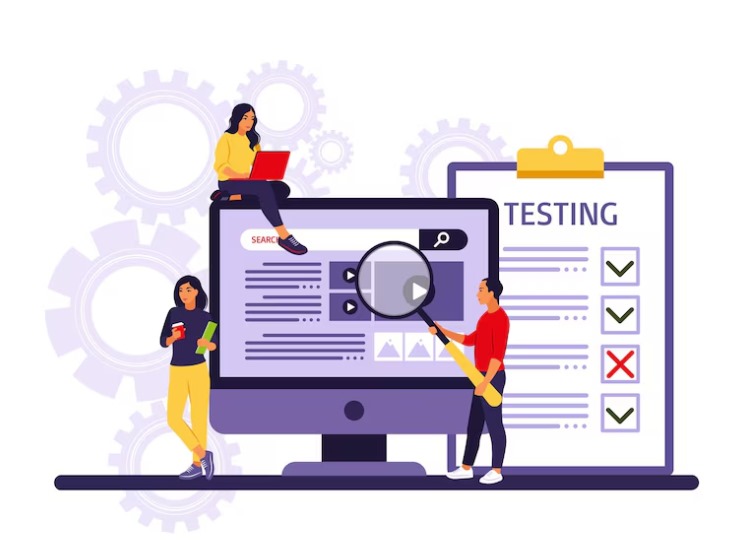
Load Testing
Load testing is crucial for simulating high-traffic scenarios and ensuring that your WooCommerce store can handle traffic spikes without crashing. By identifying potential performance issues before they affect customers, you ensure a smooth and stable shopping experience, even during peak times.
This proactive approach helps you maintain high site speed and prevent slow load times that can result in lost sales and customer frustration.
Real-time Monitoring
Implementing real-time monitoring tools helps track server performance, detect issues, and optimize your store’s performance. Monitoring your site’s performance, including server resources and website speed, helps you catch problems early, preventing major disruptions.
Tools like Google PageSpeed Insights and Google Analytics can alert you to any drop in site performance, enabling you to take action promptly and maintain a high-quality shopping experience.
Conclusion
A well-optimized WooCommerce store loads fast, feels easy to use, and builds trust with every visit. When you improve speed, security, and user experience, customers stay longer and buy more. For digital agencies, offering WooCommerce services is a smart way to deliver strong results. With steady improvements and regular checks, you help clients keep their stores running smoothly and ready for growth.
Frequently Asked Questions
What is WooCommerce store optimization?
It’s the process of improving speed, security, SEO, and user experience so your store loads faster, performs better, and converts more visitors into customers.
Why is speed important for a WooCommerce store?
Fast pages keep shoppers engaged and reduce cart abandonment. Slow stores lose traffic and rank lower on search engines.
What tools help with WooCommerce optimization?
Caching plugins, security tools, CDNs, image optimizers, and SEO tools are commonly used to boost performance and stability.
How often should I optimize my WooCommerce store?
Most stores benefit from monthly checks and quarterly full audits. High-traffic stores may need more frequent monitoring.
Do I need a developer to optimize my WooCommerce store?
Not always. Basic tasks such as image compression and plugin cleanup can be handled without a developer. But complex issues, performance tuning, and security fixes often require expert help.
Can WooCommerce optimization improve conversions?
Yes. A faster store with better UX, cleaner navigation, and strong SEO leads to higher engagement and more completed purchases.