
WordPress sites need regular care to stay stable, secure, and fast, and monthly website maintenance services play a key role in that. Without ongoing updates, backups, and monitoring, small issues quietly build up and often turn into downtime, security risks, or performance problems.
This guide explains how monthly website care services protect your site’s speed, security, and overall performance. You’ll learn what these services include, why they matter, and who benefits most from using them.
TL;DR: WordPress Website Maintenance
- Monthly maintenance solutions keep your WordPress site secure, fast, and reliable all year.
- Regular updates prevent plugin conflicts, broken features, and security vulnerabilities.
- Ongoing backups and monitoring reduce downtime and make recovery faster when issues appear.
- Performance stays consistent through speed checks, database cleanup, and optimization.
- Proactive maintenance can improve your website’s search engine rankings by keeping your site fast, secure, and user-friendly.
- Monthly maintenance is a cost-effective way to manage your website compared to emergency fixes.
What Are Monthly Website Maintenance Services for WordPress?
Monthly site maintenance helps you keep your WordPress site in good shape through routine maintenance and a proactive approach to prevent issues before they affect your website. Instead of fixing things after they break, you maintain your site regularly so it keeps working smoothly and reliably.

These services usually include updates, backups, security checks, speed monitoring, and small fixes as part of regular website maintenance. Regular website maintenance is important for improving search engine rankings, as search engines prioritize fast, secure, and user-friendly websites.
One-time fixes only handle the issue in front of you. However, new updates, plugins, and traffic changes happen all the time. With ongoing maintenance, you can avoid costly breakdowns.
Why is Monthly WordPress Maintenance Necessary?
Your WordPress site keeps changing, even when you’re not touching it. With plugin updates, security risks, and shifting traffic patterns, small issues can occur.
Over time, outdated plugins can slow your site and even expose it to security risks. This makes your pages load more slowly, features stop working, and visitors lose patience.
While one-time fixes may help for a while, they don’t prevent new issues from arising. Monthly maintenance keeps your website in check and ensures it keeps working the way it should.
How WPTasks Supports Monthly WordPress Maintenance?
WPTasks supports monthly WordPress maintenance through a subscription-based model built for consistency, not just one-off fixes. You can purchase monthly development-hour retainers to ensure your site gets regular attention.
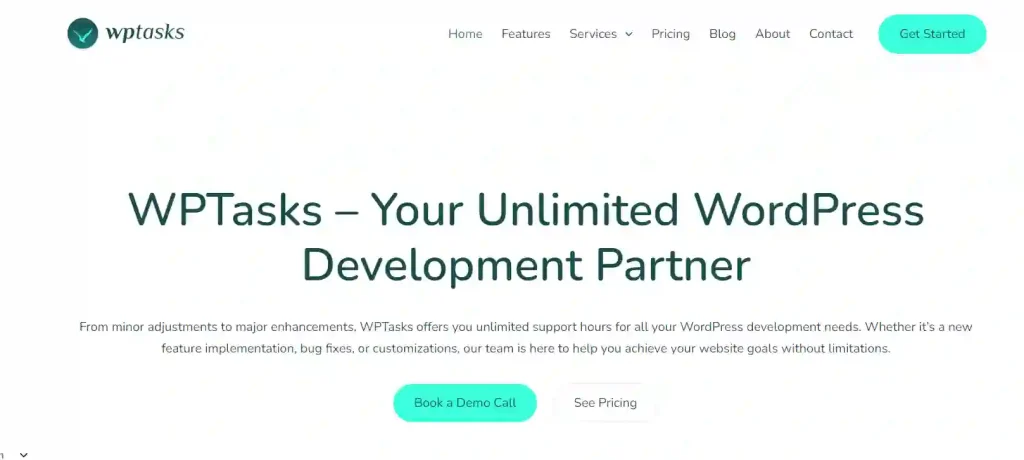
Those hours cover ongoing fixes, updates, and improvements as they come up. This helps prevent recurring issues, keeps your site stable, and also ensures changes are handled properly.
Hosting support is also included to maintain website performance and stability as traffic grows. For agencies, everything is delivered white label, so you maintain full control of client relationships while maintenance runs smoothly month after month.
Keep Your WordPress Site Stable, Secure, and Updated Every Month
Get reliable monthly website care without chasing fixes or surprise issues. Explore WPTasks monthly maintenance built for ongoing updates, backups, and site health.
What is Included in Monthly Website Maintenance Services?
Good monthly maintenance looks after your site from multiple angles, not just updates. Each service plays a role in keeping your website secure, fast, and reliable.
Core, Theme, and Plugin Updates
WordPress core, themes, and plugins need to be regularly updated. These updates fix bugs, patch security issues, and improve compatibility with new features. It also includes applying the latest security patches to your core, themes, and plugins, as outdated ones can leave your site vulnerable to cyberattacks.
The best maintenance services apply updates carefully. They test changes first and keep backup options ready, so your site doesn’t break if something goes wrong after an update. Regular updates and timely security patches are essential to protect sensitive data from breaches and ensure your website remains secure against threats.
Regular Backups and Restore Points
Backups act as your safety net when something fails. Whether it’s a bad update, a security issue, or an error, backups help you recover without starting from scratch. For optimal website performance, backups should be performed weekly or monthly, depending on your site’s activity level.
Daily backups work best for active sites with frequent changes, while weekly or monthly basis backups suit smaller sites. Reliable disaster recovery strategies include automated off-site backups, ensuring you can restore your site quickly after crashes or hacks.
Security Monitoring and Malware Protection
WordPress sites face constant security threats. Without monitoring, these attacks can go unnoticed until real damage is done. That’s why ongoing security checks matter. Website security is a critical part of website services, and regular security scans help to detect vulnerabilities and prevent breaches.
Maintenance services include firewalls, malware scans, and cleanup support. These steps help block threats early and remove issues before they affect users or data.
Uptime and Performance Monitoring
Even short downtime hurts your website’s traffic and trust. Uptime monitoring continuously checks your site and alerts you when it goes offline, so you can act quickly. Monitoring site performance and site speed is crucial, as both directly impact security, usability, and the overall user experience.
Performance monitoring also tracks loading speed and resource usage. It includes compressing images, minifying code, and monitoring loading times to reduce bounce rates by fixing technical glitches and improving site speed. This helps catch slowdowns early and keeps your site running smoothly as traffic grows.
Bug Fixes and Technical Support
Small bugs accumulate over time, from broken layouts to features that don’t work as expected. If left unaddressed, these issues pile up and degrade the user experience. Ongoing website services address technical issues and complex tasks, such as security monitoring and performance optimization, ensuring your site remains secure and reliable.
Ongoing maintenance handles fixes as they come up. With a rapid response approach, issues are resolved quickly before they escalate, so support tickets don’t stack up and problems don’t repeat. Regular maintenance tasks can include updating plugins, optimizing speed, and repairing broken contact forms.
Monthly Reports and Site Health Checks
Reports show you what’s happening behind the scenes. They cover updates completed, backups taken, security status, and performance checks. Regular reporting along with proactive monitoring ensures that potential issues are identified early, directly contributing to client satisfaction by providing peace of mind and reliable website performance.
Site health checks highlight areas that need attention. This gives you clarity, builds trust, and helps you plan improvements rather than guess.
Monthly Website Maintenance vs One-Time WordPress Fixes
One-time WordPress fixes help when something breaks, but they don’t prevent the next issue from showing up. You fix a problem today, but new updates, plugins, or traffic changes can create fresh issues tomorrow. As a result, you stay stuck in a cycle of reacting instead of planning.
Monthly website maintenance takes a different approach. Instead of waiting for problems, you monitor, update, and fix things regularly. This reduces security risks, improves performance over time, and helps avoid sudden downtime. Ongoing maintenance makes more sense when you want long-term stability, fewer emergencies, and a site that keeps working as your needs grow.
Who Needs Monthly Website Care Services?
Monthly site maintenance isn’t just for large sites. It helps different types of WordPress websites stay stable, secure, and easy to manage.
- Business Websites: Your website represents your brand. Regular maintenance keeps pages loading fast, forms working properly, and security issues under control. Small business owners benefit from tailored maintenance services that address their unique needs and ensure their sites remain secure and functional.
- Blogs and Content Sites: Frequent content updates, plugins, and traffic growth can slow things down over time. Maintenance helps keep performance steady and prevents broken pages. Maintaining web content is essential for readability and user engagement, and using a content management system makes it easier to manage updates and ensure your site remains organized.
- E-commerce and WooCommerce Stores: Online stores rely on working checkouts, payment gateways, and product pages. Monthly maintenance reduces the risk of lost sales caused by errors or downtime.
- Agencies Managing Client Sites: Handling multiple websites makes manual upkeep risky. Maintenance services help you keep every client site updated and stable without extra workload.
How Monthly Maintenance Improves Website Performance?
Website performance doesn’t improve by accident. It stays strong when small issues get handled regularly instead of being ignored. Monthly maintenance focuses on steady improvements that keep your site fast, reliable, and easy to use.

Faster Page Load Times
Over time, WordPress sites collect unused data, heavy plugins, and unoptimized files. These slow down page load times and frustrate visitors.
Site speed and performance optimization are crucial parts of website maintenance services, as they directly impact user experience and overall website quality. Monthly maintenance helps keep things clean before speed becomes an issue.
Regular checks allow you to optimize images, manage caching, and keep the database lean. As a result, pages load faster, users stay longer, and bounce rates drop.
Fewer Errors and Downtime
Most downtime starts with small warning signs. A plugin update fails, a script conflicts, or a server resource maxes out. Without maintenance, these issues grow until the site breaks.
Monthly maintenance catches these problems early. Proactive monitoring helps identify and resolve technical issues before they cause downtime, ensuring your site remains secure and reliable. Fixes happen before errors affect visitors, which helps keep your site online and working when people need it.
Better User Experience
Users notice when a site feels smooth and reliable. Buttons work, pages don’t shift, and features behave as expected. That consistency builds trust and keeps visitors engaged.
A user-friendly design that aligns with evolving user expectations is essential for delivering a positive experience. Maintenance ensures layouts stay intact across updates and devices. When everything works the way it should, users feel confident navigating and taking action.
Improved Search Visibility
Search engines prioritize speed, uptime, and technical health. Slow pages, broken links, and crawl errors make it harder for your site to rank well.
Regular website maintenance is key to improving search rankings, as search engines prioritize fast, secure, and user-friendly websites. This leads to increased organic traffic by making your site more visible in search results and providing a better user experience.
Monthly maintenance helps reduce these issues. Clean code, faster load times, and fewer technical errors support better indexing and long-term search performance.
How to Choose Monthly WordPress Maintenance Services?
Not all maintenance services offer the same level of care. Choosing the right one helps you avoid repeat issues and keeps your WordPress site running smoothly over time.
- Check What Services are Included: Make sure the plan covers updates, backups, security monitoring, performance checks, and ongoing fixes. Basic plans often miss critical areas.
- Look for Clear Response Times: Know how quickly issues get addressed. Reliable services set clear expectations, so you don’t have to guess when problems arise.
- Review Reporting and Transparency: Monthly reports should clearly show the work completed. This helps you track site health and understand ongoing improvements.
- Confirm Support and Fix Coverage: Ongoing support matters more than one-off fixes. Choose a service that handles issues as they arise, not just during emergencies.
- Consider Scalability as Your Site Grows: Your needs change over time. A good maintenance service should support higher traffic, more features, and future updates without friction.
Conclusion
Monthly WordPress maintenance is no longer optional if you want a site that works consistently. Website maintenance is an ongoing process that requires dedication, vigilance, and strategic planning. Small issues show up all the time, and without regular care, they grow into bigger problems that affect performance, security, and trust.
Partnering with a professional website maintenance service provider ensures your site stays updated, protected, and easy to manage, supporting your long-term success. Instead of reacting to breakdowns, you stay ahead of them and keep your website ready for long-term growth.
FAQs About Monthly Website Maintenance
What does monthly WordPress maintenance include?
Monthly maintenance usually includes updates, backups, security checks, performance monitoring, bug fixes, and site health reviews to keep everything running smoothly.
Do small WordPress websites need monthly maintenance?
Yes. Even small sites face updates, security risks, and performance issues. Regular website maintenance, including keeping your content management system updated, helps prevent problems before they affect visitors.
How often should WordPress plugins and themes be updated?
Most plugins and themes should be updated regularly, often monthly or sooner if security updates are released. Maintenance services handle this safely.
Is monthly maintenance better than one-time WordPress fixes?
Monthly maintenance works better in the long term. While one-time fixes solve immediate issues, they don’t prevent new problems from appearing later.
Can monthly maintenance improve website speed?
Yes. Ongoing performance checks, database cleanup, and optimization help keep pages loading fast over time.
What happens if my site breaks between maintenance tasks?
Good maintenance services handle issues as they come up, not just on a schedule. This reduces downtime and prevents repeat failures.