Website downtime usually does not happen all at once. Small problems like missed updates, outdated plugins, or unnoticed errors slowly build up until your site stops working. Proactive WordPress maintenance helps you catch these issues early and keep your website stable and secure.
In this guide, you’ll learn practical WordPress care strategies that focus on prevention instead of fixing problems after they happen.
TL;DR:
- Downtime often starts with small issues, such as missed updates or weak monitoring.
- Proactive Website maintenance helps you prevent problems before they affect users.
- Regular updates, backups, and performance optimization reduce downtime risk.
- Uptime monitoring and reliable hosting help catch issues early.
- A clear recovery plan ensures faster fixes when something goes wrong.
What Causes WordPress Website Downtime?
WordPress website downtime usually starts with small technical issues that are easy to overlook. Missed core, theme, or plugin updates often lead to compatibility problems, while plugin conflicts can break important site functions. Server overload during traffic spikes and security breaches caused by weak protection also contribute to sudden outages.
Another common cause is the lack of monitoring. Without alerts, issues go unnoticed until the site is already down. In most cases, downtime is not caused by one major failure but by poor maintenance habits that allow small problems to pile up over time.
Why Proactive WordPress Maintenance Matters?
Proactive WordPress care focuses on preventing issues instead of reacting after something breaks. Regular updates, performance checks, and security reviews help catch risks early, before they turn into downtime.
This approach keeps your website stable, improves performance, and strengthens security. It also creates predictable site behavior, which is critical for businesses that rely on consistent uptime and smooth user experience.
How WPTasks Helps You Prevent Downtime?
Preventing downtime requires consistent development support, not occasional fixes. WPTasks provides agencies with subscription-based WordPress development hours each month, helping you resolve issues before they affect live websites.

Your monthly retainer covers development tasks, ongoing fixes, recurring updates, and hosting support. This proactive approach reduces the risk of errors caused by missed updates or technical conflicts.
Since WPTasks operates as a white-label service, you can deliver reliable WordPress solutions under your own brand while ensuring long-term site stability for your clients.
Protect Your Site with Reliable WordPress Maintenance
Prevent downtime, reduce technical risks, and keep your website running smoothly with structured WordPress Maintenance support.
How to Prevent Downtime with WordPress Maintenance?
Maintaining a WordPress site is like keeping a car running smoothly; it needs regular attention. Routine tasks, like updating the WordPress core, themes, and plugins, ensure your site stays fast and secure. These updates often bring new features and fix bugs.
Don’t forget to back up your site before making any changes to prevent data loss. Also, optimizing your database by clearing out unnecessary data can significantly boost performance, helping your site run more efficiently.
Regularly Update WordPress Core, Themes, and Plugins
Ensuring that your WordPress installation, themes, and plugins are up-to-date is essential to prevent downtime. Outdated software can introduce security vulnerabilities, bugs, and compatibility issues.
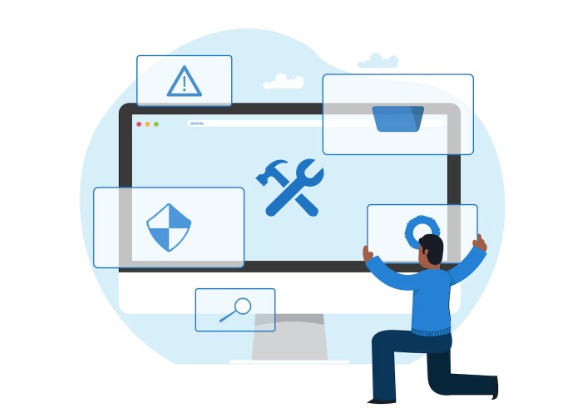
It’s recommended to enable automatic updates for minor versions or schedule regular checks to manually update plugins, themes, and WordPress core. Always test updates in a staging environment before applying them to your live site to avoid unexpected issues.
Backup Your Site Regularly
A reliable backup system can save your website in case of failure, hacking, or user error. Make sure you have daily automatic backups of both the database and files. Services like BlogVault, UpdraftPlus, or Jetpack Backup are excellent options for keeping your site backed up securely.
Always store backups off-site in secure locations, such as cloud storage, and test the restore process to ensure your backups are functional.
Optimize for Performance
Website performance isn’t just about speed; it’s also crucial to uptime. If your website loads slowly, especially under high traffic, it can crash or experience downtime.
Use performance optimization techniques like image compression, minimizing CSS and JavaScript, and caching plugins (such as WP Super Cache or W3 Total Cache) to improve loading times.
Employing a Content Delivery Network (CDN) can also distribute your content across multiple servers worldwide, reducing server load and ensuring higher uptime during traffic surges.
Set Up Uptime Monitoring
Utilizing an uptime monitoring tool like Pingdom or UptimeRobot allows you to get instant alerts when your site experiences any downtime. These tools help you react quickly, reducing the time your site is unavailable.
Monitoring also provides reports on how often your site goes down, helping you identify patterns and take corrective measures.
Use a Reliable Hosting Provider
Your web hosting provider plays a critical role in preventing downtime. Ensure you choose a hosting company that offers excellent uptime guarantees, around-the-clock support, and scalable resources.
Managed WordPress hosting services like WP Engine or DreamHost often include features like automated backups, security monitoring, and high-performance servers, all designed to minimize downtime risks.
Secure Your Site Against Threats
Security vulnerabilities can lead to hacking, which in turn can cause extended downtime. Wordfence or Sucuri that scan your website for malware, provide firewall protection, and monitor login activity.
Two-factor authentication (2FA), strong passwords, and limiting login attempts are additional measures you can take to reduce the risk of unauthorized access.
Use a Staging Environment
A staging site is crucial for testing new updates, plugins, and changes without affecting your live website. This allows you to identify potential conflicts or issues before they disrupt your site.
Most managed hosting providers offer one-click staging environments, or you can use plugins like WP Staging to create a copy of your site for testing purposes.
Conduct Regular Site Audits
Regularly auditing your website ensures that all components are functioning properly. These audits should include checking for broken links, outdated plugins or themes, and any security vulnerabilities.
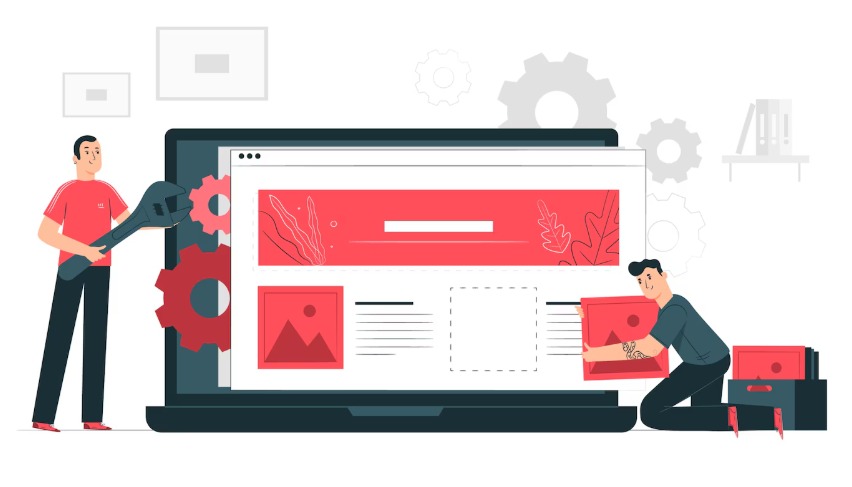
You can also assess the site’s mobile-friendliness, page speed, and overall user experience. Regular site audits help catch issues before they lead to bigger problems like downtime.
Implement Load Balancing
For websites experiencing heavy traffic or seasonal spikes, load balancing can help prevent server overload and the resulting downtime. Load balancing spreads the incoming traffic across multiple servers, preventing any one server from becoming overwhelmed. This ensures higher availability and better performance.
Create a Disaster Recovery Plan
Despite all preventive measures, downtime can still occur. That’s why having a solid disaster recovery plan is crucial. This plan should include clear steps for restoring your site from a backup, contacting support teams, and communicating with users about downtime.
Test this recovery plan periodically to ensure it works as expected, minimizing downtime in the event of an emergency.
Discover: Pros and Cons of Hiring WordPress SEO Freelancer
Conclusion
When your site faces unexpected issues that threaten its uptime, having a fast and efficient support system is key. This means setting up clear ways to report problems, addressing support requests quickly, and having a plan for handling bigger issues. Doing this helps reduce downtime and keeps things running smoothly.
It’s also a good idea to train your support team to not just react to problems but to anticipate them. A skilled, well-equipped team is your best defense against potential downtime.
FAQs About Proactive WP Maintenance
What is proactive WordPress maintenance?
Proactive WordPress services focus on preventing issues before they cause downtime. It includes updates, backups, performance checks, and security monitoring.
Why does a WordPress site experience downtime?
Downtime usually happens due to outdated plugins, server overload, security breaches, or untested changes made on a live site.
How often should WordPress care and maintenance be done?
Basic maintenance should be done weekly, while updates, backups, and monitoring should run continuously in the background.
Can backups really prevent downtime?
Backups do not stop downtime, but they help you recover quickly if something breaks, reducing how long your site stays offline.
Is hosting important for preventing downtime?
Yes. A reliable hosting provider with good uptime, support, and scalability plays a major role in keeping your site online.
Do small websites also need proactive maintenance?
Yes. Even small WordPress sites face risks from updates, security issues, and traffic spikes, making proactive maintenance important at any size.