WordPress databases are a common target for malware because they store your site’s most valuable data. Attackers often inject malicious code into database tables where it can stay hidden longer and reinfect your site even after files are cleaned.
Database infections are different from file-based malware. Instead of altering theme or plugin files, malware hides inside posts, options, or user tables, making it harder to detect and remove with basic scanners.
In this guide, you’ll learn which tools can scan a WordPress database for malware, how these tools work, and when you should take action to protect your site from ongoing security threats.
What is WordPress Database Malware?
WordPress database malware is malicious code hidden inside your site’s database instead of its files. Attackers inject harmful scripts into database tables that store posts, pages, settings, or user data.

This malware often hides inside post content, the options table, or user records. It can insert spam links, malicious scripts, or hidden redirects that load only for visitors or search engines.
Database malware is harder to detect because many security scans focus on files. Even if you clean infected files, the malware can remain in the database and reinfect your site again.
Signs Your WordPress Database May Be Infected
Database malware often works quietly in the background, which makes it easy to miss early warning signs. Paying attention to these signals helps you catch infections before they cause serious damage.
- Spam Links Appearing in Posts or Pages: You may see strange links added to content you never edited. These links are often hidden from logged-in users and only visible to visitors or search engines.
- Unknown Admin Users or Injected Content: New admin accounts, altered posts, or unexpected content changes can signal that attackers have modified database records directly.
- Sudden Redirects or SEO Warnings: Visitors may get redirected to spam or unsafe sites, or you might receive warnings in Google Search Console about hacked content.
- Performance Slowdowns Without Clear Cause: Hidden database scripts can increase server load, causing your site to slow down even when traffic stays the same.
Need Help Removing Malware from Your WordPress Site?
If database malware keeps coming back, expert cleanup ensures your site is fully cleaned and protected.
Why Scanning the WordPress Database Matters?
Database malware often stays hidden even after file cleanup. If you ignore it, the infection can continue to damage your site quietly and repeatedly.
- Risks of Ignoring Database Infections: Hidden malware can keep injecting spam, creating backdoors, or altering site behavior without obvious errors. Over time, this weakens site stability and security.
- SEO Penalties and Blacklisting Issues: Search engines can detect spam links, redirects, or malicious scripts stored in your database. This can lead to ranking drops, warning labels, or full blacklisting.
- Hidden Malware Reinfects Clean Files: Even if you clean theme and plugin files, infected database entries can rewrite malicious code back into files, restarting the infection cycle.
How WordPress Database Malware Gets in?
Database infections usually start through weak entry points. Once attackers gain access, they inject malicious code directly into database tables.
- Vulnerable Plugins and Themes: Outdated or poorly coded plugins and themes are the most common entry point. Attackers exploit known flaws to write malicious data into the database.
- Weak Admin Credentials: Simple passwords or compromised admin accounts allow attackers to access the dashboard and manipulate database content.
- Outdated WordPress Core: Running an old WordPress version exposes known security holes that attackers actively target.
- Compromised Hosting Environments: Insecure hosting setups or shared environments can allow attackers to access databases even without WordPress login access.
Best Tools to Scan a WordPress Database for Malware
Choosing the right tool matters because database malware often stays hidden from basic file scanners. The tools below are widely used because they focus on detection, monitoring, and safe cleanup at the database level.
MalCare
MalCare scans WordPress database tables alongside core files to detect malicious code, injected links, and suspicious entries. It analyzes database activity without putting load on your server.

Its real-time detection helps catch threats early, while guided cleanup removes malware safely without breaking site data. This reduces the risk of reinfection after cleanup.
MalCare works best for business and high-traffic sites that need continuous protection, automated scans, and reliable malware removal without manual intervention.
Wordfence
Wordfence includes database scanning as part of its broader security scans. It checks database content for known malware patterns, injected scripts, and suspicious changes.
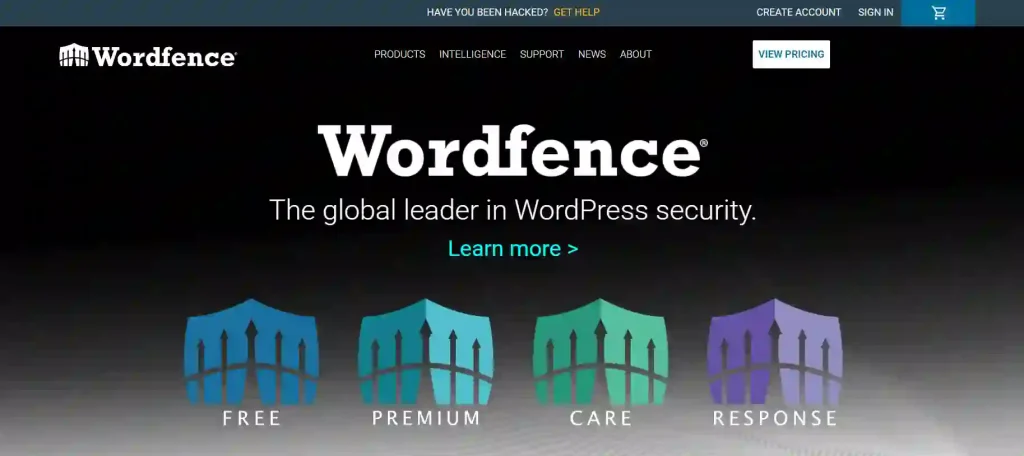
The plugin provides alerts when it detects threats, helping you act quickly before issues escalate. Its firewall also adds an extra layer of protection against future attacks.
Wordfence works best for site owners who want strong visibility into security activity and prefer in-dashboard alerts and reporting.
Sucuri Security
Sucuri monitors database integrity by checking for unexpected changes and known malware signatures. It focuses on detecting issues that affect site trust and SEO.

Its malware detection approach combines server-side monitoring with database checks to catch hidden threats that traditional scanners may miss.
Sucuri is ideal for sites that prioritize uptime, reputation protection, and ongoing monitoring rather than one-time scans.
WP Cerber
WP Cerber tracks database-related activity such as login attempts, user changes, and admin table modifications. This helps identify suspicious behavior early.

It focuses heavily on preventing unauthorized access by protecting login and user-related database entries. This reduces the chance of attackers injecting malware through compromised accounts.
WP Cerber is strong for prevention-focused setups where limiting access and monitoring admin activity is a priority.
SQL Query Scanners and Manual Tools
Manual tools like phpMyAdmin allow direct inspection of database tables. You can search for suspicious scripts, encoded content, or unexpected entries.
Safe manual inspection involves read-only checks, careful queries, and full backups before making changes. This method requires knowledge of WordPress database structure.
Expert handling is required when malware is deeply embedded or obfuscated. In these cases, manual cleanup without experience can cause data loss or site failure.
Free vs Paid Database Malware Scanning Tools
Free and paid database malware scanning tools serve different purposes. Choosing the right option depends on how serious the infection is and how critical your website is to your business.
- Detection Capabilities of Free Tools: Free tools can detect basic malware patterns, spam links, and known malicious code stored in common database tables. They work well for quick checks and early signs of infection.
- Limits of Free Database Scans: Free scanners often miss deeply hidden or obfuscated malware. They usually lack real-time monitoring, advanced detection logic, and safe cleanup features.
- Situations That Require Paid Tools: Paid tools provide deeper scans, continuous monitoring, and reliable cleanup. They are better suited for business sites, high-traffic websites, and repeat infections where accuracy matters.
How to Safely Clean Malware from a WordPress Database?
Cleaning malware from a WordPress database requires care and planning. One wrong change can damage content, settings, or user data.
- Risks Linked to Automatic Cleanup: Automatic cleanup tools may remove valid database entries or fail to catch hidden malware. This can lead to broken pages or reinfection.
- Role of Backups Before Cleanup: Full backups protect your site during cleanup. If something goes wrong, you can restore clean data without losing content or settings.
- Situations That Need Professional Cleanup: Professional services are best when malware keeps returning, database entries are corrupted, or the site supports active business operations. Experts ensure safe and complete removal.
Best Practices to Prevent Database Malware
Database malware usually enters through weak points like outdated plugins, poor access control, or insecure hosting setups. These best practices help you reduce risk and keep your WordPress database clean long term.
- Secure Plugin and Theme Management: Install plugins and themes only from trusted sources and keep your stack lean. Remove unused plugins, avoid nulled products, and replace abandoned tools that no longer receive updates.
- Strong User Access Control: Limit admin accounts, use strong passwords, and enable two-factor authentication. Give team members only the access they need, and remove old accounts that no longer belong on the site.
- Regular Updates and Monitoring: Update WordPress core, themes, and plugins on a consistent schedule. Monitor security logs, login activity, and file changes so you catch suspicious behavior early.
- Database Hardening Tips: Change the default database prefix, lock down database user permissions, and block direct access to sensitive files. Use secure hosting, enforce HTTPS, and set up firewall rules to reduce exposure.
When You Need Professional WordPress Malware Removal?
Some infections go beyond quick cleanup. In these cases, expert help prevents repeated damage and ensures the malware is fully removed.
- Signs Cleanup Failed: Redirects return, spam links reappear, or new suspicious code shows up after you “clean” the site. This usually means hidden database entries or backdoors still exist.
- Repeated Reinfections: If malware keeps coming back, attackers may still have access through a vulnerable plugin, leaked credentials, or server-level compromise. A full root-cause fix is required.
- Business-Critical Websites and Compliance Needs: If your site handles payments, customer data, or regulated industries, you need a clean and verifiable recovery process. Professional removal reduces downtime, protects reputation, and supports compliance requirements.
Conclusion
Database malware can quietly damage your WordPress site without showing clear signs. It hides inside content, settings, and user data, which makes it easy to miss and hard to remove if you only clean files.
Regular database scans help you find hidden threats before they hurt your site’s speed, search rankings, or user trust. Using the right tools and basic security practices lowers the risk of repeat infections.
For business websites, a proactive approach matters. Ongoing monitoring and professional cleanup give you peace of mind and help keep your WordPress site secure, stable, and reliable over time.
FAQs
What is WordPress database malware?
WordPress database malware is malicious code hidden inside database tables such as posts, options, or user data. It can inject spam links, redirects, or scripts without changing site files.
Can database malware affect SEO rankings?
Yes. Database malware often adds hidden spam links or redirects that search engines detect. This can lead to ranking drops, warnings, or site blacklisting.
Are free malware scanners enough to protect a WordPress database?
Free tools help detect basic issues, but they often miss hidden or complex malware. Paid tools provide deeper scans, monitoring, and safer cleanup for long-term protection.
How often should you scan your WordPress database for malware?
You should scan regularly, especially after updates or traffic changes. For business sites, continuous monitoring or weekly scans offer better protection.
Can cleaning files remove database malware completely?
No. File cleanup alone often leaves infected database entries behind. These hidden entries can reinfect your site after cleanup.
When should you use professional WordPress malware removal services?
You should use professional services when malware keeps returning, site data is compromised, or your website supports critical business operations.